MAG
MAG
7 minutes
IPTV On MAG Devices – Portal Setup Guide (2025)
Configure your MAG box using the portal URL. Start by sending your MAC address, then set the portal and restart to begin watching.
Installation Steps
1
Send Your MAC Address
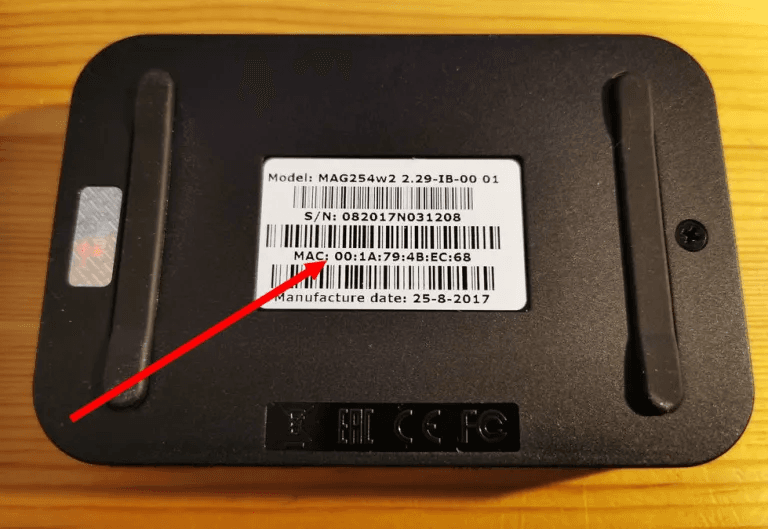
Turn on your MAG device and find the MAC address in Settings > About, or on the sticker on the back. Send the MAC with your order number via email or WhatsApp so we can provision your portal.
2
Set Up IPTV Portal
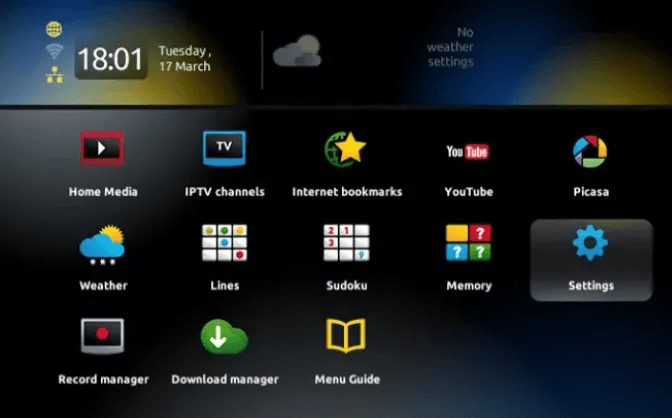
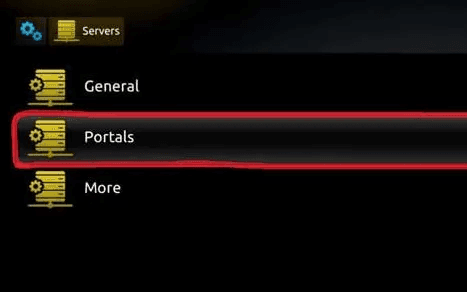
Go to Settings > System Settings > Servers > Portals. Enter the portal URL we provide exactly, give the portal a recognizable name, and click OK to save.
3
Restart Your MAG Device
Restart the device so settings take effect. The IPTV portal will load after reboot and you can start watching immediately.